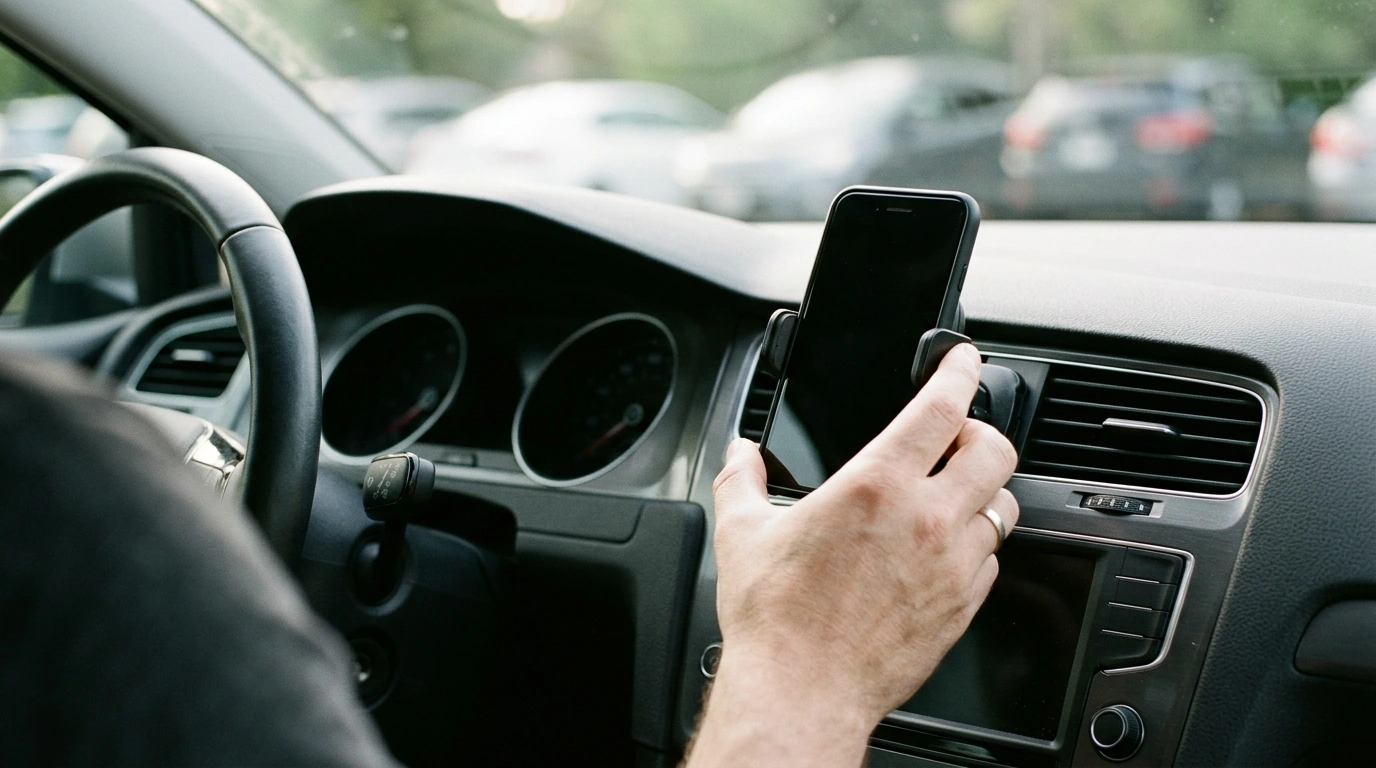
A vent-mounted phone holder should keep a smartphone steady, visible, and easy to grab without turning the dashboard into a tangle of clamps and knobs. This gravity-style mount uses a multi-point support design that tightens as the phone’s weight settles into place—helping reduce wobble on bumps while keeping buttons and screens accessible for navigation and hands-free use.
Gravity mounts are built around a simple idea: the phone’s own weight helps create the grip. Instead of tightening a knob or snapping a spring clamp shut, you place the device into the cradle and let the mechanism do the work.
If you want a straightforward, no-fuss option, the Six Points Gravity Car Phone Holder for Air Vent – Universal Smartphone Mount is designed around that drop-in-and-go routine.
Many mounts grip a phone at just two side points, which can concentrate pressure and allow the device to “see-saw” over bumps. A multi-point contact layout aims to reduce that movement by supporting more of the phone’s body.
For the best results, set the phone down squarely so the gravity mechanism engages symmetrically. If the device is off-center, one side may tighten sooner than the other, which can lead to extra wiggle.
Air-vent mounts can be an elegant solution because they avoid suction cups and adhesive pads. The tradeoff is that your vent has to be strong enough to serve as a stable anchor point.
If your vehicle’s vents are especially delicate, consider placing the mount on a vent closer to the center stack where the slats often feel more supported (while still keeping the screen readable).
A good vent mount should feel natural in daily driving—easy to grab when you park and easy to re-seat when you get back on the road.
| Item to check | What to look for | Why it matters |
|---|---|---|
| Vent strength | Slats feel firm and don’t flex easily | Reduces wobble and slipping on bumps |
| Vent clearance | Space for the clip without hitting internal duct parts | Helps the mount seat fully and stay locked |
| Phone + case fit | Holder closes securely with the case installed | Prevents rattling and accidental drops |
| Cable routing | Charging cable doesn’t pull downward or sideways | Maintains grip and keeps screen position steady |
Small installation details can make a big difference in stability—especially with vent mounts.
For safety background and best practices, review the NHTSA guidance on distracted driving. As an example of state-specific rules, see the California DMV’s hands-free guidance and apply the equivalent regulations where you drive.
Usually yes, as long as the case isn’t excessively bulky. Test the fit by seating the phone fully and confirming the arms close firmly and the phone doesn’t rock when lightly tapped.
Any vent clip can stress weak or brittle slats, especially if the vent already flexes. Use a sturdy vent, avoid forcing the clip, and reposition the mount if you notice bending or looseness.
Wobble is often caused by a loose vent slat, a clip that isn’t fully engaged, off-center phone placement, or a charging cable pulling the device. Re-seat the mount, center the phone, and route the cable to minimize sideways or downward tug.





Leave a comment