
The best smartphone for you is the one that handles your ordinary day well—not necessarily the one with the longest specification sheet. Start with what you can spend and the three things you care about most. Then compare a few phones on those terms. That approach makes trade-offs in battery life, cameras, size, and software much easier to judge.
Set a total spending limit before browsing. Include the phone, a case or charger if you need one, and the cost of your mobile plan. If you’re considering carrier financing, compare the full amount you’ll pay with the cost of buying an unlocked phone and choosing service separately. A low monthly payment does not always mean a lower total cost.
Next, name three priorities. Yours might be dependable battery life, comfortable one-handed use, and clear photos of children or pets in motion. Keep those requirements separate from features that would simply be nice to have. A phone that meets all three is usually a stronger choice than one with impressive extras you rarely use.
Pay attention to dimensions and weight as well as screen size. A larger display can make reading, maps, and video more pleasant, but it may be harder to carry or operate with one hand. If possible, hold your finalists before buying.
Look at how much storage your current phone uses, particularly for photos, video, apps, and offline downloads. Choose capacity that leaves room to grow, and verify whether the exact model accepts expandable storage; many do not. Also review battery claims alongside independent tests that use repeatable methods. If fast charging matters to you, find out which cable and charger deliver the advertised speed.
A phone’s useful life depends partly on software support. Read the manufacturer’s stated update policy for the specific model, rather than assuming every phone from a brand receives the same support. Before paying, confirm that the phone works with your carrier and network, supports the SIM or eSIM setup you need, and has a suitable charging port. If water resistance or particular accessibility features are essential, verify those too.
| Decision | Question to Ask | What to Check |
|---|---|---|
| Budget | What is the full cost? | Phone price, accessories, plan terms, and financing total |
| Fit | Will it feel comfortable? | Dimensions, weight, and an in-person hold if possible |
| Longevity | Will it meet future needs? | Storage capacity and stated software-update policy |
| Compatibility | Will it work with my service? | Carrier and network support, SIM or eSIM, and unlocked status |
Choose iOS if you prefer the iPhone interface or already use Apple devices that you want to work together. Make sure your essential apps and accessories support the iPhone model you’re considering. Choose Android if you want to compare a broader range of manufacturers, designs, and prices. Android phones differ substantially, so judge each device’s features and update policy individually.
Switching platforms takes more planning than replacing a phone with another on the same platform. Check how your contacts, photos, messages, paid apps, and authentication tools will transfer. Consider subscriptions and accessories that may not move with you. Apple provides Android-to-iPhone transfer guidance, while Android explains how to switch to Android. Review the appropriate steps before trading in or resetting your old phone.
Think about the scenes you photograph most: indoor gatherings, moving pets, landscapes, selfies, or evening video. Compare sample photos and videos made in similar conditions, not just megapixel counts. Focus speed can matter more than resolution when your subject will not sit still; stabilization and audio quality can matter just as much as sharpness for video.
Look for lens options you will genuinely use. An ultrawide lens helps fit more of a scene into the frame, while a telephoto lens can be useful for distant subjects. When comparing zoom claims, distinguish an optical lens from digital cropping. If you can try a phone in person, test how quickly its camera opens and captures a shot—not only how the results look afterward.
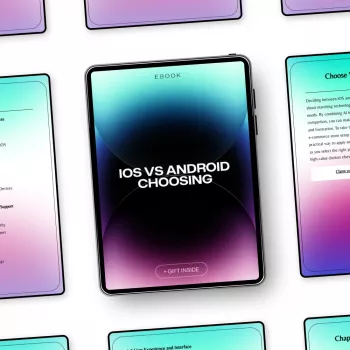
Before ordering, read the return policy, warranty, and condition description. This is especially important for refurbished phones and carrier-financed purchases. If you want a reusable way to organize your comparison, our Picking the Perfect Smartphone ebook guide focuses on the buying checklist, camera comparison, and iOS-versus-Android decision.
Think about charging as part of your routine, too. If you need power away from an outlet, our Portable 200W Solar Generator with AC Outlet & USB Ports is one option to consider. Match its available ports and output to the charger your chosen phone requires; a power source cannot make a phone charge faster than its supported setup allows.
Finally, confirm service details before you commit. The FCC’s cell phone guides offer consumer information on mobile-phone topics, while your carrier can confirm compatibility for a particular device. Once those essentials are settled, choose the phone that best serves your day—not the one that wins on paper.
Check how much storage you currently use, then leave room for more photos, videos, apps, and offline downloads. Confirm whether the new model supports expandable storage.
Neither is universally better. Compare ease of use, phone prices, required apps, existing accessories, and the software-update policy of the specific device.
Compare photos and videos taken in conditions like yours, along with useful lenses, focus performance, stabilization, and video audio. Megapixel counts alone are not enough.






Leave a comment