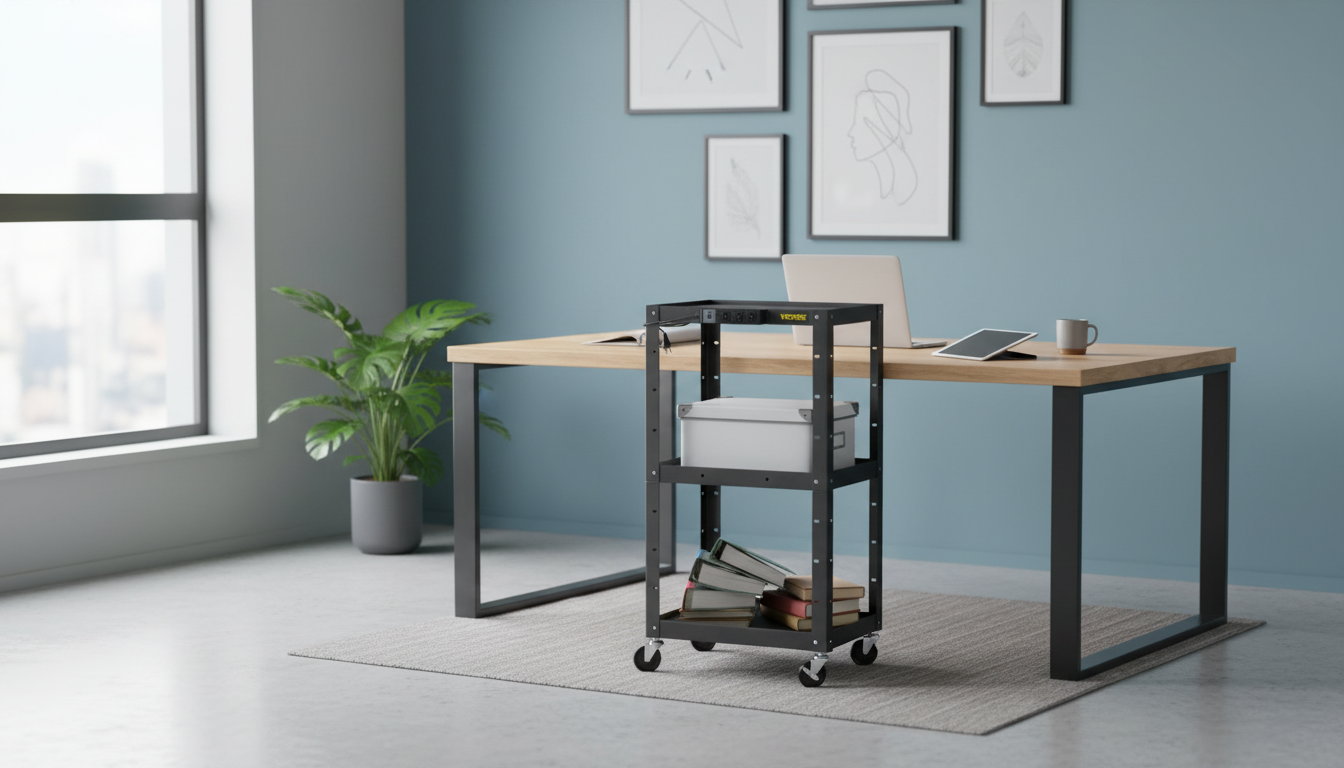
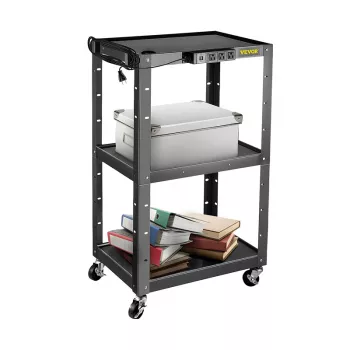
An adjustable AV cart with a built-in power strip keeps displays, laptops, and accessories organized while making it easy to roll a complete setup between rooms. Height adjustability helps align screens to sightlines, while integrated power reduces cord clutter and keeps essential devices plugged in during presentations, trainings, and hybrid meetings.
In busy environments, the biggest win is consistency: the same layout, the same cable paths, and the same “everything is where it should be” feel—whether you’re rolling into a classroom for third period or moving a training station from one conference room to the next.
Because these carts often operate in shared spaces, safety and electrical best practices matter. For guidance, review OSHA electrical safety, the NFPA 70 (National Electrical Code), and UL standards and certification related to power strips/relocatable power taps.
| Setup | Recommended Shelf Use | Power Strip Use | Stability Tip |
|---|---|---|---|
| Classroom display cart | Top: laptop; Middle: document camera; Bottom: small speaker/amp | Laptop + display + camera charger | Lock casters and keep heavier speaker on bottom shelf |
| Office training station | Top: laptop + clicker; Middle: webcam/lighting; Bottom: peripherals bin | Docking station + display + phone charging | Route cords away from walking paths; leave slack for screen tilt |
| Event check-in / signage | Top: tablet stand; Middle: badge printer; Bottom: battery backup | Printer + charger + small light | Use bottom shelf for power bank/UPS to lower center of gravity |
| Portable DJ / AV control | Top: controller; Middle: mixer/receiver; Bottom: cables case | Controller + receiver + accessory chargers | Secure cables and lock wheels before playback |
A simple routine helps: park, lock casters, verify airflow around power adapters, then do a quick “cable sweep” to ensure nothing can reach a wheel. When it’s time to move, reverse the steps and keep the cord secured until the cart is positioned again.
If the goal is a tidy, ready-to-roll presentation station, the Adjustable AV Cart with Power Strip is a practical option. Its integrated power helps keep essential devices connected on the cart, while the adjustable height supports better screen placement for seated audiences, standing presenters, or camera-friendly framing during hybrid sessions.
For locations where wall outlets are limited or unreliable (or where you want a short-term power buffer for small devices), pairing a cart with a portable power option can make setups more flexible. Consider the Portable 200W Solar Generator with AC Outlet & USB Ports for powering or charging compatible equipment during temporary installations or events.
It depends on the number of outlets on the strip and the total load (amps/watts) of the connected devices. Count your essentials (laptop, display, speaker, chargers) and avoid overloading by checking the ratings on each power adapter and the power strip.
Stability improves when heavier items are kept on the lower shelf and the casters are locked during use. For top-heavy loads, avoid running the cart at maximum height and confirm the shelf size and weight rating match your monitor.
For longer moves, unplugging and stowing the power cord helps prevent snags and damage. If a short reposition is necessary, keep adequate slack, route cords away from wheels, move slowly, and lock the casters once the cart is in place.



Leave a comment