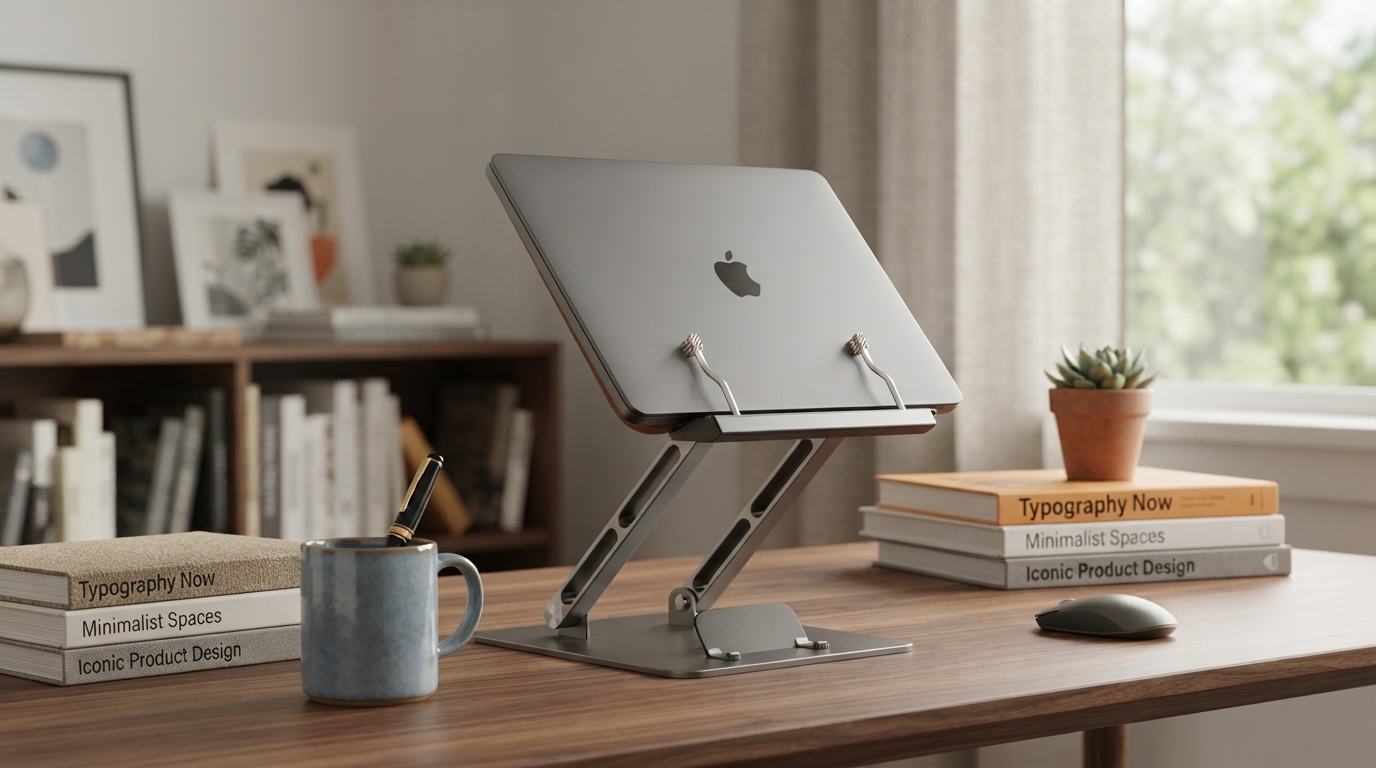
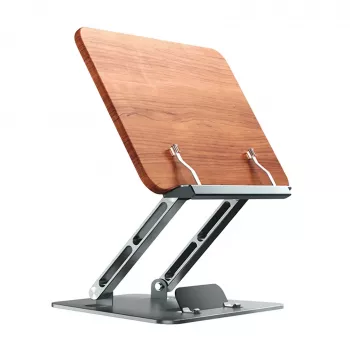
A compact stand can make a big difference when screens and reading materials compete for the same small patch of desk space. The Adjustable Vertical Laptop & Book Stand – Foldable Notebook & Tablet Holder is designed to lift laptops, tablets, and books into a more comfortable viewing zone while keeping your workspace tidy. With adjustable angles and a foldable build, it fits neatly into home offices, study corners, and travel routines—helping you keep content closer to eye level and your setup less cluttered.
Most desk discomfort starts with a simple pattern: looking down for hours at a low laptop screen or a book laid flat on the table. Raising your device or reading material helps reduce neck bending and encourages a more neutral posture—especially during long writing sessions, study blocks, or back-to-back video calls.
For workstation basics and posture guidance, resources like the OSHA Computer Workstations eTool and Mayo Clinic’s office ergonomics guide offer helpful benchmarks you can apply when adjusting a stand.
A stand is most useful when it adapts to what you’re doing. Reading tends to feel best with a moderate tilt that supports pages, while screen-focused tasks often benefit from lifting the display higher. Multi-angle positioning allows quick changes between tasks without rebuilding your workspace each time.
| Task | Recommended setup | Why it helps |
|---|---|---|
| Typing on a laptop | Raise laptop + use external keyboard/mouse | Keeps screen higher while hands stay at a comfortable height |
| Reading a book | Moderate tilt with page support | Reduces hunching and keeps pages stable |
| Tablet viewing | Higher tilt for touch or media | Improves visibility and reduces wrist strain during tapping |
When space is limited, the ability to fold a stand flat matters as much as adjustability. A foldable design makes it easy to switch from “work mode” to “clear the counter” in seconds—ideal for shared desks, dorm rooms, or kitchen counters used for both cooking and admin tasks.
If your routine includes working from cafés, libraries, or travel locations, pairing a compact stand with reliable power can help keep your setup consistent. For off-grid or emergency charging, the Portable 200W Solar Generator with AC Outlet & USB Ports is a practical companion for phones, tablets, and light laptop use where outlets are limited.
A multi-use stand earns its place when it supports more than one daily scenario. Instead of buying separate holders for a laptop, tablet, and cookbook, one adjustable frame can cover a wide range of tasks—especially when you’re moving between work, study, and home life.
| Scenario | Best device type | Setup tip |
|---|---|---|
| Video meetings | Laptop or tablet | Angle screen to eye level; position camera centered |
| Studying from textbooks | Book | Use a stable mid-tilt to prevent page slip |
| Following tutorials | Tablet | Set a steeper angle for clear visibility at arm’s length |
| Cooking or crafting instructions | Tablet or book | Keep stand away from spills; wipe after use |
For deeper detail on workstation component setup, Cornell’s ergonomics resources can be a useful reference: Cornell University Ergonomics: Computer Workstation Components.
If your days are packed with focused work, pairing a cleaner desk layout with better routines can help overall comfort. The digital guide Calm at Work: Smart Strategies to Manage Stress and Boost Focus adds simple habits and checklists that fit naturally alongside an improved workstation setup.
| Feature | What it does | Why it matters |
|---|---|---|
| Adjustable tilt/angle | Changes viewing and reading angles | Supports comfort across different tasks |
| Foldable frame | Compacts for storage and travel | Fits small spaces and mobile routines |
| Multi-device support | Holds laptop, tablet, or book | One stand for work, study, and leisure |
| Desk organization benefit | Elevates and consolidates items | Frees surface area for notes and accessories |
It typically works well for many common laptops and tablets, but it’s best to confirm your device dimensions and weight and use the stand on a flat, stable surface. If you raise a laptop for long sessions, using an external keyboard and mouse usually provides the most comfortable setup.
Yes—use a moderate tilt so pages stay supported without slipping. Keeping the contact points clean and choosing a stable angle helps books rest securely for studying, music practice, or following recipes.
Many stands use protective pads at contact points to help reduce scuffs, but it’s still important to keep both the stand and your desk surface free of grit. Placing it on a smooth, flat surface and wiping the pads periodically helps prevent marks.




Leave a comment