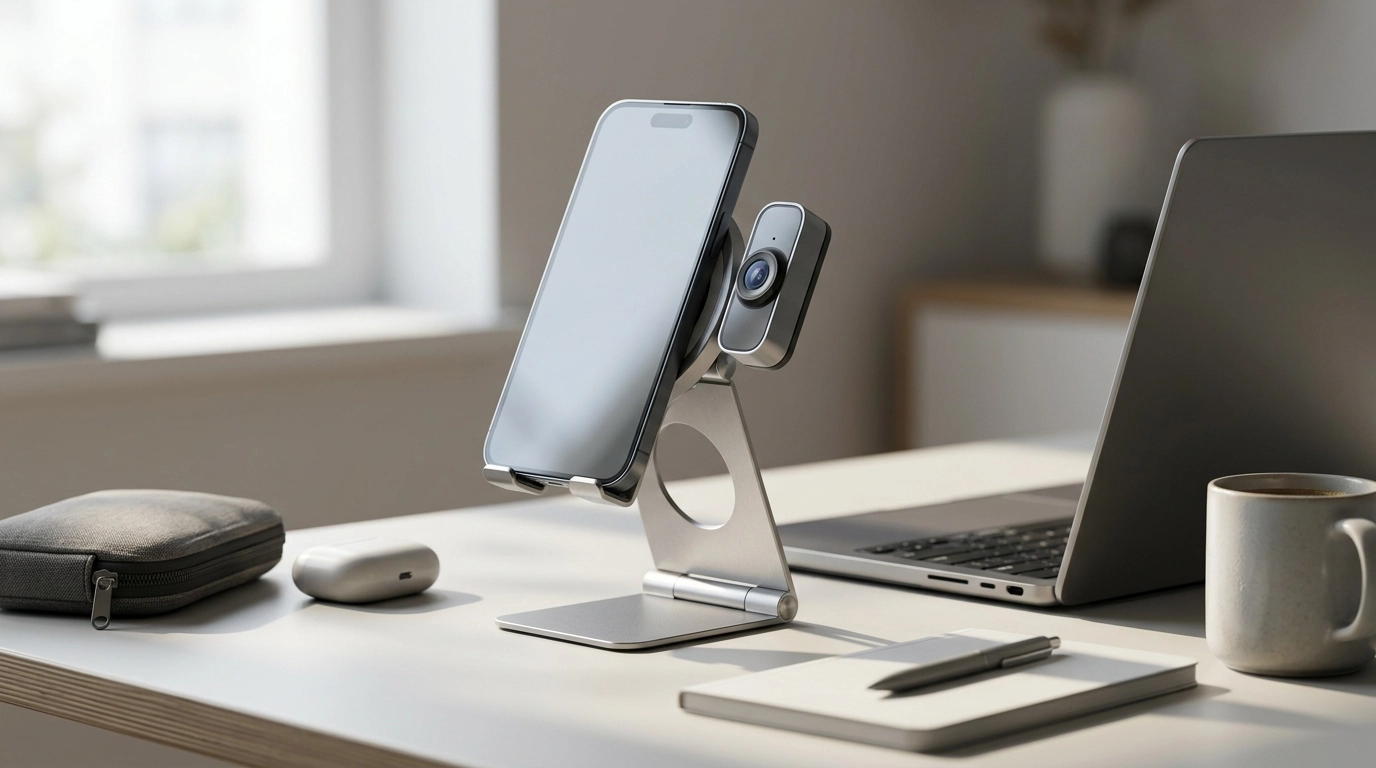
A compact phone stand can do more than prop up a screen. This magnetic, foldable stand is designed to snap on quickly, pack flat for travel, and add a detachable webcam-style mount when a higher, more natural camera angle is needed. It suits desk setups for calls and content, countertop viewing, and on-the-go use where a lightweight stand helps keep an iPhone stable and visible. Below is a practical breakdown of how it fits into everyday workflows and what to check for compatibility.
Most phone stands focus on one job: keeping your screen upright. The Magnetic Foldable Phone Stand with Detachable Webcam Mount for iPhone adds a second, highly useful mode—raising your phone like a small webcam so your camera sits closer to eye level.
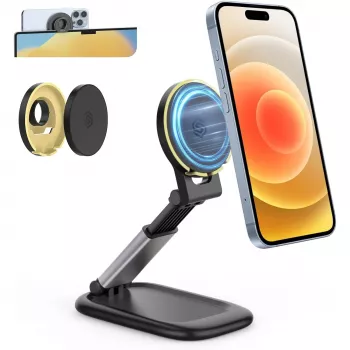
This style of stand is built for iPhone setups that benefit from magnetic mounting, especially within MagSafe-style ecosystems. It’s a practical choice for daily viewing, quick recording, and improving call positioning without carrying a full tripod.
| Feature | What it helps with | Typical moment of use |
|---|---|---|
| Magnetic phone attachment | Fast mount/unmount; cleaner setup | Docking the phone between tasks |
| Foldable stand body | Compact storage and travel | Commuting, travel, shared desks |
| Detachable webcam mount | Higher camera angle; flexible positioning | Video calls, remote meetings |
| Hands-free viewing angle | Comfortable reading and watching | Kitchen counter, desk, bedside |
Magnetic convenience depends heavily on what’s between the stand and your phone. For the most reliable hold, MagSafe-compatible iPhones and MagSafe-compatible cases generally perform best. Apple’s overview of MagSafe accessories is a helpful reference for understanding how the ecosystem is intended to work: Apple Support: Use MagSafe accessories with your iPhone.
A foldable stand shines when it can move with you—room to room, or office to café—without requiring a full rebuild of your setup.
For a calmer, more organized workday that pairs well with a tidy desk setup, consider keeping a short routine guide handy like Calm at Work: Smart Strategies to Manage Stress and Boost Focus.
The goal is simple: bring the lens closer to face level, stabilize the shot, and keep the framing consistent so you look more present and less “looking down at the camera.” For workstation comfort tips that complement better screen placement, OSHA’s guidance is a useful baseline: OSHA: Computer Workstations eTool.
It can, but magnetic performance is usually strongest with MagSafe-compatible iPhones and cases. Thick or non-magnetic cases may weaken the hold, so a MagSafe-compatible case or a magnetic ring adapter is often a better match—test stability before relying on it unattended.
It improves framing and camera height, which can make calls look more professional, but it doesn’t change the iPhone’s camera hardware. A steadier, eye-level angle combined with good front lighting typically has the biggest impact.
Use caution with magnetic-stripe cards and other magnet-sensitive items by storing them separately when possible. Modern phones are generally fine, but it’s still smart to avoid pressing the magnet directly against cards for long periods.




Leave a comment