
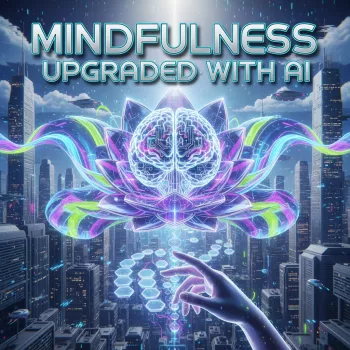
Busy days, noisy notifications, and constant context-switching can make “be mindful” feel like one more task on an already full list. Our team created Mindfulness Upgraded with AI digital download to make mindfulness feel simpler and more repeatable: guided reflection, AI-assisted meditation and focus prompts, a calm-living checklist for digital wellness, and a planner layout you can return to whenever life gets loud.
The goal isn’t to “optimize” your inner life. It’s to give you a practical way to notice what’s happening, choose a grounded next step, and return to your day with a little more calm and clarity.
AI-assisted mindfulness is about using a tool to reduce friction—not outsourcing your attention. When your mind is scattered, it helps to have a short script ready so you can stop deciding what to do and start doing it.
We designed this download to feel usable on a stressed day—when you want something steady, not something complicated.
If your biggest stress spikes happen on the job, our team also recommends pairing it with Calm at Work: Smart Strategies to Manage Stress and Boost Focus for workplace-specific structure (deadlines, meetings, multitasking, and recovery between tasks).
This is the easiest way to get traction: one tiny daily practice + one tiny digital boundary. Start small; the goal is repetition, not perfection.
| Day | 2–5 Minute Practice | AI Prompt to Use | Digital Wellness Micro-Step | One-Sentence Reflection |
|---|---|---|---|---|
| Day 1 | Breath count (10 slow breaths) | “Write a 3-minute calming breath script for a stressed mind.” | Disable one non-essential notification | “I noticed ____ and returned to ____.” |
| Day 2 | Body scan (head to toe) | “Create a gentle body scan meditation for muscle tension.” | Move distracting apps off the home screen | “My body felt ____ when I slowed down.” |
| Day 3 | Single-task focus sprint (5 minutes) | “Help me choose one priority and a 5-minute next step.” | Turn on Do Not Disturb for one short block | “Focus improved when ____.” |
| Day 4 | Mindful walk (indoors or outside) | “Guide a mindful walking practice using the 5 senses.” | No-phone walk to one destination | “I felt calmer when I noticed ____.” |
| Day 5 | Label the thought (name it, release it) | “Give me a short practice for observing thoughts without chasing them.” | Set one app time limit | “A common thought loop today was ____.” |
| Day 6 | Compassion pause (30–60 seconds) | “Write a brief self-compassion reset for a hard day.” | Replace one scroll window with a quiet break | “I can be kind to myself by ____.” |
| Day 7 | Weekly reset (review + intention) | “Help me summarize my week and set a gentle intention for next week.” | Choose one boundary to keep next week | “Next week I want more ____ and less ____.” |
If you’d like deeper background on mindfulness and meditation benefits and limitations, you can also explore resources from the American Psychological Association and the National Center for Complementary and Integrative Health.
Yes. We built it around short sessions and simple steps, and the scripts help you avoid the “What do I do now?” feeling that can stop beginners from starting.
No. You can copy and paste the prompts into common AI chat tools, and you can keep your process simple by picking one tool and using it briefly only to generate a short script.
You can feel small improvements the same day—especially after a 2–5 minute reset—but bigger changes typically come from steady repetition over days and weeks.






Leave a comment